Leverage
Differences in Leverage Support
The Curve UI generally supports one-click leverage for loans. This means users can directly “loop” their positions with a single click, without manually repeating the borrowing and buying process.
While one-click leverage is available for most markets, there may still be some discrepancies depending on the market. As a rule of thumb: If one-click leverage is supported, a second tab labeled "Leverage" will appear next to the standard "Create Loan" tab.


- Newer markets support leverage through aggregators, which can route through external liquidity sources for more efficient execution.
- Older markets (especially the early deployed mint markets) rely solely on Curve’s internal liquidity, which can result in higher price impact — especially when leveraging large amounts.
Opening a Leveraged Loan
When creating a leveraged loan, users can choose to deposit either the collateral token or crvUSD (depositing crvUSD is only possible on newer markets). If crvUSD is selected, it will be automatically swapped into the collateral asset before leveraging up the position. After that, simply select the amount of crvUSD to borrow.
Of course, you can also adjust the number of bands (N) used for the position.
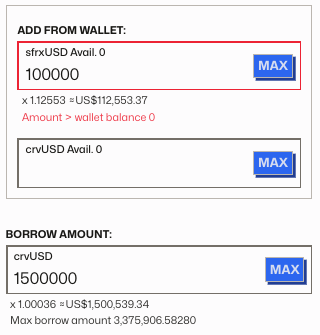
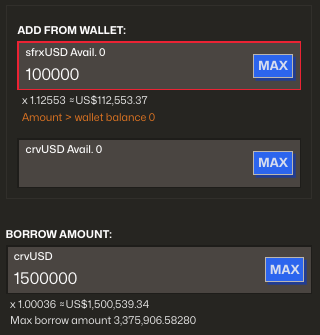
After setting these parameters, the UI will display an overview containing all relevant details about your leveraged position:
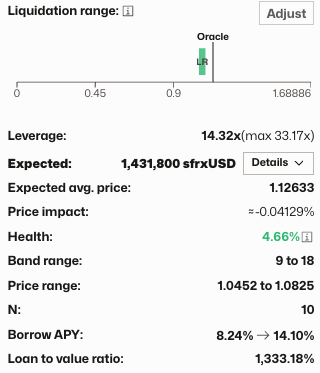
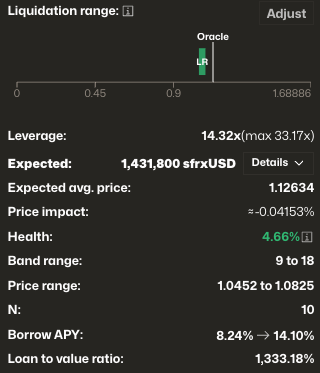
The overview includes:
- Total leverage used in the position
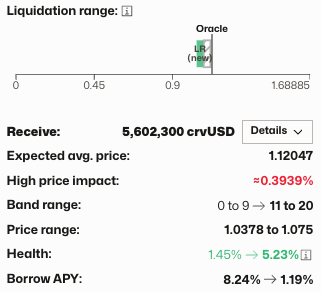
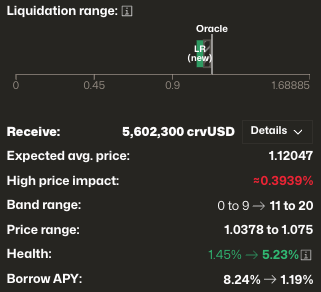
- Estimated collateral amount after looping, including aggregator route, average swap price, and price impact
- Loan details – Standard information such as Health, Band range, Number of bands (N), Post-loan borrow rate and Loan-to-Value ratio (LTV)
Leveraging Up
Leveraging Down
Closing a Leveraged Loan
To repay (or deleverage) your loan, you can either use your collateral balance, or repay directly using crvUSD or the collateral token from your wallet (repaying with either asset is only supported on newer markets).
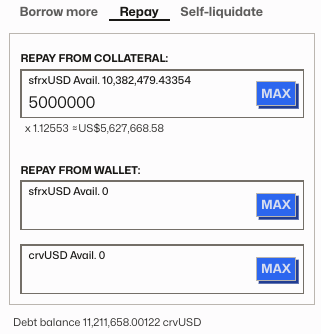
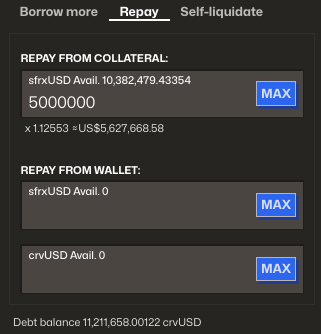
Once the repayment parameters are selected, the UI will update to show the latest stats and expected state of your loan after repayment.